





















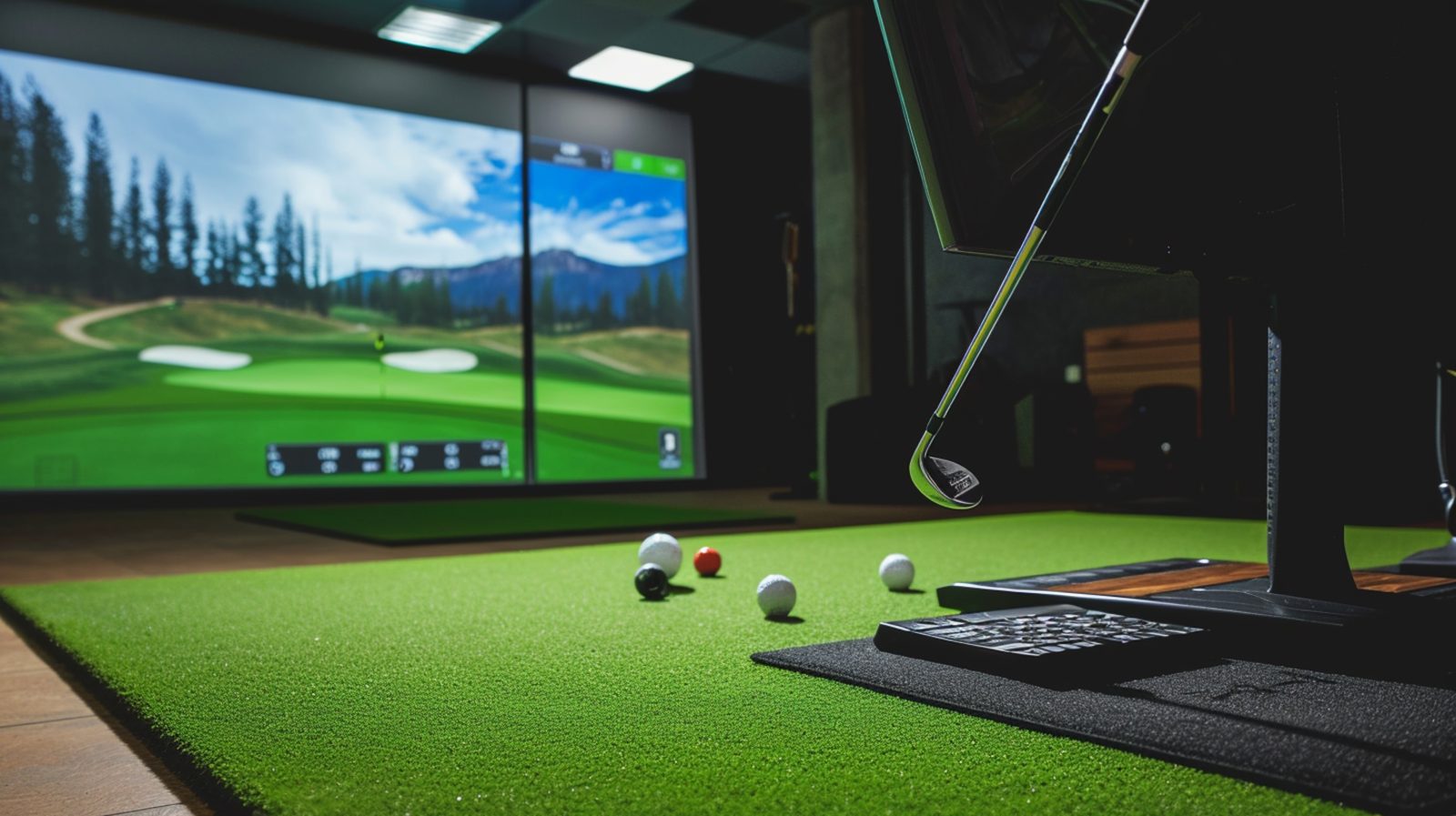
Have you ever wanted to perfect your swing without leaving the house? You’re not alone. Home golf simulators are becoming increasingly popular among casual golfers and serious golfers alike. Thanks to technology, it’s now more affordable and accessible to create a realistic indoor golfing experience in your garage, basement or spare room. But what does it take to set up a golf simulator at home? Let’s break it down—what you need, how it works and what you can expect to spend.
Why Set Up a Golf Simulator at Home?
Before we get into the gear and costs, it’s worth understanding why a home golf simulator is a game-changer. First, it allows year-round practice, regardless of weather or daylight. Second, it gives instant feedback and data, so you can fine tune your swing with precision. Third, it’s fun—hosting virtual rounds with friends or testing your skills on famous courses can be very satisfying.
Space Requirements
Your first consideration should be space. A golf simulator doesn’t require a mansion, but you do need a room with enough clearance to swing a driver safely. A typical recommendation is:
- Width: At least 10 feet
- Depth: 15 to 20 feet for a good hitting area and projector setup
- Height: Minimum of 9 feet, ideally 10 feet or more
Garages, basements, and spare rooms are often ideal. Ceiling height is especially important if you want to swing freely without restriction.
Core Components You’ll Need
To build a functional and enjoyable golf simulator setup you’ll need five essential components:
Launch Monitor or Golf Simulator System
This is the brain of your simulator. It captures your swing data, ball flight, and club information. Some popular options include:
- SkyTrak – Great balance between affordability and accuracy
- Garmin Approach R10 – Budget friendly and portable
- Foresight GC3 or GCQuad – Premium accuracy for serious golfers
- TrackMan – Tour level tech, but very expensive
Launch monitors use radar or camera-based systems. Camera based systems are better indoors due to space limitations.
Simulator Software
The software you choose determines the virtual experience. It renders golf courses, swing data and other graphics on your screen. Some launch monitors come with basic software, but you may want to upgrade to something more robust, like:
- E6 Connect
- TGC 2019 (The Golf Club)
- FSX Play
- Awesome Golf
The software is a one-time fee or annual subscription depending on the platform.
Hitting Mat
A good hitting mat simulates the feel of real grass and protects your joints during repeated swings. Cheap mats wear down quickly and can cause injuries. A high-quality mat like the TrueStrike or Fiberbuilt will be more durable and forgiving. Make sure it’s big enough to support your stance and the ball area.
Impact Screen and Enclosure
This is what you hit the ball into. It absorbs the ball’s force and displays the simulation on a projector. Paired with a net or enclosure, this keeps the ball safe. High end screens are better image quality and longer life. You can go DIY with blackout curtains and nets or invest in professional grade enclosures for a cleaner look.
Projector and Display System
To make it immersive you’ll want a projector that displays the virtual course on your impact screen. Look for a short-throw projector which can be mounted close to the screen to reduce shadows and maximize image size in a small space. Or you can use a TV or monitor if you’re on a tighter budget.
Optional Add-ons
Not required but nice to have:
- Surround sound system for realistic audio
- Lighting for visibility and ambiance
- Swing cameras for video replay and analysis
- Computer or tablet to run software if your launch monitor doesn’t have built in processing
- Putting turf if you want to add putting to your setup
Cost Breakdown
How much should you budget for a home golf simulator? It really depends on how basic or advanced you want the setup to be. Here’s a rough price range for each component:
- Launch Monitor: $500 to $20,000+
- Software: $300 (one time) to $600/year
- Hitting Mat: $250 to $1,000
- Impact Screen & Enclosure: $500 to $3,500
- Projector: $400 to $2,000
- Accessories: $200 to $1,000 (cables, mounts, lighting, etc.)
A budget friendly DIY setup might be $2,000 to $4,000, a mid-range simulator with good performance $5,000 to $10,000, and a premium pro level setup with top-of-the-line hardware and software $15,000 to $30,000 or more.
Is It Worth It?
It depends on your goals. If you’re a casual player who just wants to keep your swing fresh during the winter a few thousand dollars might be all it takes. But if you’re serious about game improvement, practice frequency, or entertainment value, investing more might be worth it.
Keep in mind too that the cost of regular lessons, range time and green fees adds up quickly—so a simulator can pay for itself in the long run especially if you golf often.
Parting Shot
Building a golf simulator at home isn’t just a luxury—it’s a practical and fun investment for any golfer who wants more time with the game. With options for every budget, you can customize your setup to fit your space, goals and style of play. Whether you want to improve your swing or entertain friends with a round at Pebble Beach from your living room, a home golf simulator makes it possible.
So, start planning your dream setup today—you’re just a few swings away from teeing off at home.